Morning routines are an important part of everyones day hence a smart home can make your routine just a little bit easier with a home automation synced to your alarm clock while using the best smart home platform – Home assistant
For example turning on the boiler one hour before the alarm goes off, or opening the curtains as you wake, maybe turn on the coffe machine so its ready for you as you enter the kitchen.
a smart home should be automated to meet your needs.
The following is a smart alarm clock, set up with home assistant and various smart devices, where you can set up tasks for you wake up time but also before the alarm rings. and all thats left for you to do is set the alarm to the time you want to wake up and the home automation will take care of the rest.
In this tutorial we will set up the boiler to turn on one hour before the alarm time so that when you wake up there is plenty of hot water. It can However be easily tweaked to meet you home automation needs.
prerequisites
Have Home assistant set up. Here is a simple tutorial to help you get started
Have a smart water heater installed and linked to home assistant
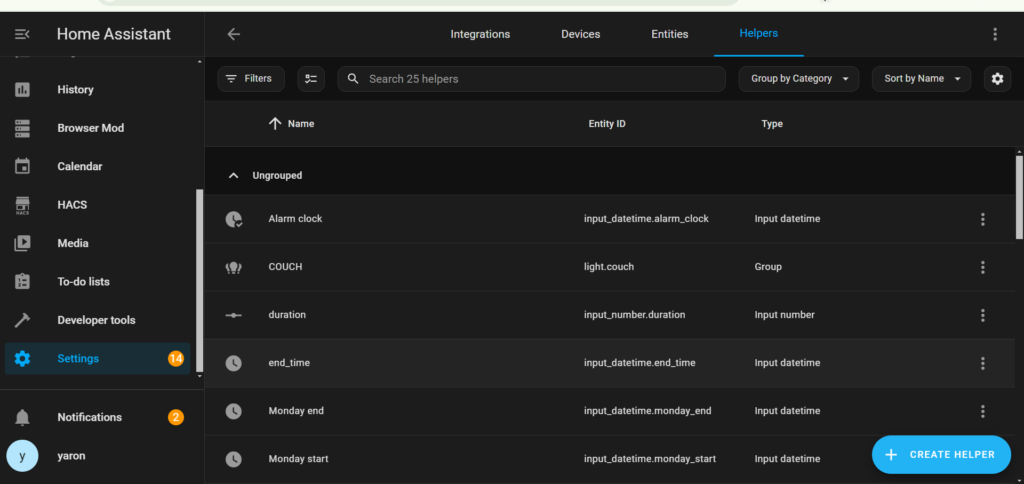
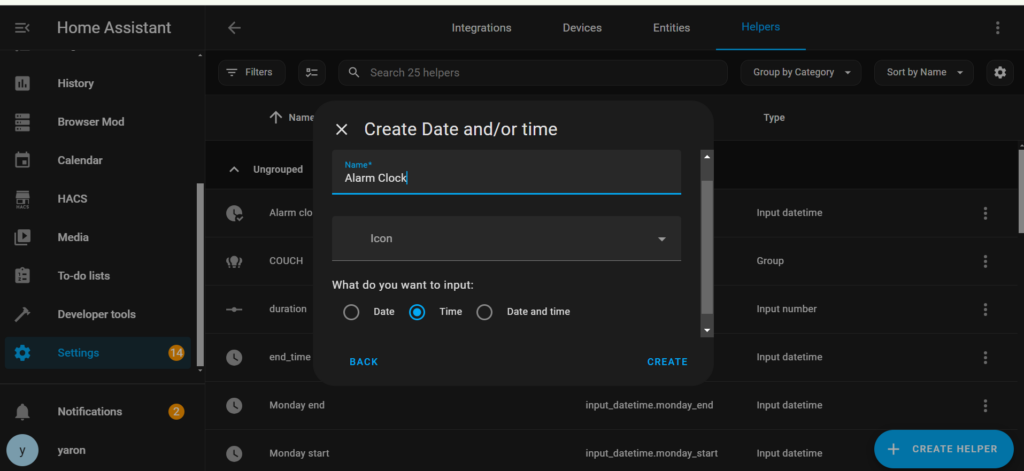
Create a "time" helper
Settings -> Devices and services -> helpers -> create helper -> Date and/or time
This will give you an easy and customisable way to set the alarm clock time
Name it alarm clock automation and make sure you have "time" only selected
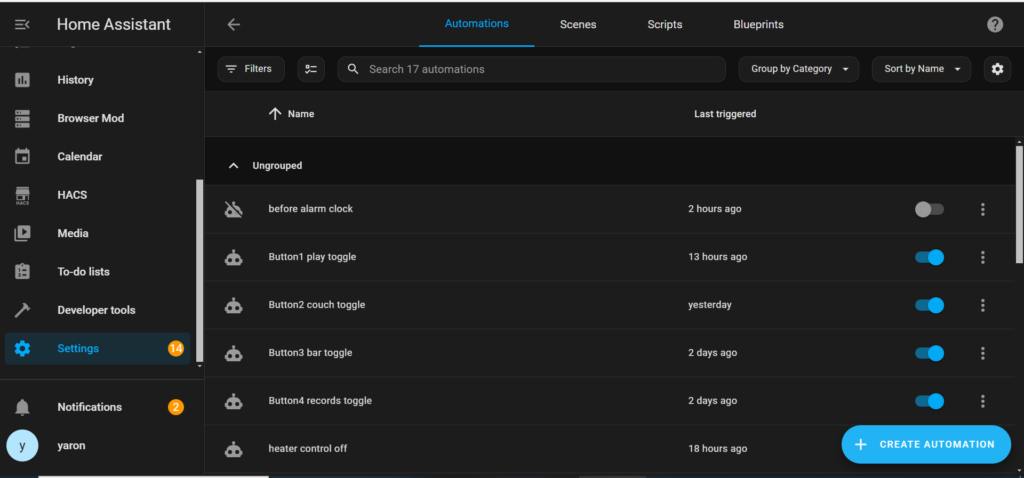
Create an automation for the alarm time
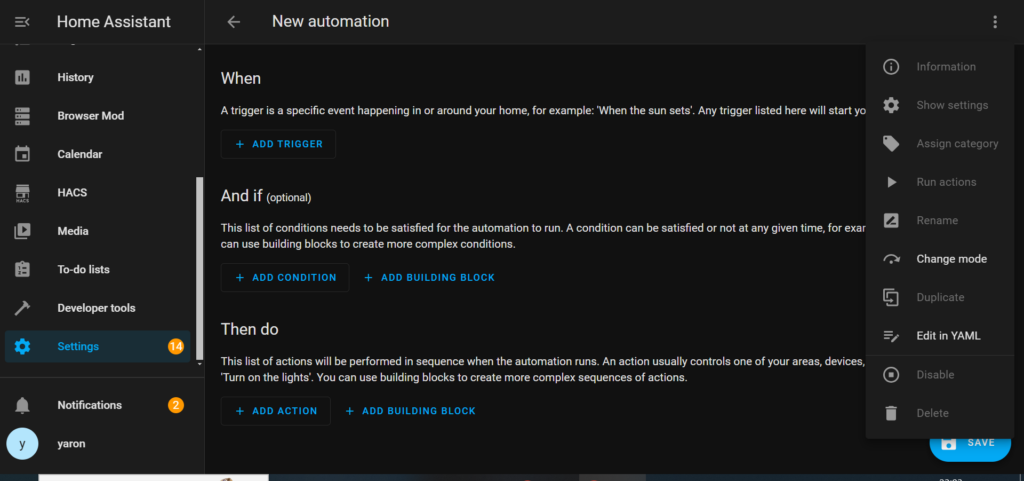
Create a new automation with the following yaml code
Settings -> automations and scenes -> create automation
select the "edit in yaml" option
That will play a specicfic playlist on spotify at your required alarm time.
note: you must have spotify set up in your home assistant instace.
you can easily set a different action and change the playlist
					alias: at alarm clock
description: " a smart alarm that will ring on the specified time but will also perform actions before the alarm time"
triggers:
  - trigger: template
    value_template: >-
      {{ now().timestamp() | timestamp_custom('%H:%M') ==
      (state_attr('input_datetime.alarm_clock', 'timestamp')) |
      timestamp_custom('%H:%M', false) }}
actions:
  - action: media_player.play_media
    target:
      entity_id: media_player.spotify
    data:
      media_content_id: >-
        https://open.spotify.com/playlist/5xddIVAtLrZKtt4YGLM1SQ?si=YcvRqaKNTxOi043Qn4LYkg"
      media_content_type: playlist
mode: single
Create a similar Automation for before the alarm time
Create a new automation with the following yaml code
note: I have used 3600s = 1 Hour
					alias: before alarm clock
description: " a smart alarm that will ring on the specified time but will also perform actions before the alarm time"
triggers:
  - trigger: template
    value_template: >-
      {{ now().timestamp() | timestamp_custom('%H:%M') ==
      (state_attr('input_datetime.alarm_clock', 'timestamp') - 3600) |
      timestamp_custom('%H:%M', false) }}
actions:
  - action: switch.turn_on
    metadata: {}
    data: {}
    target:
      entity_id: switch.smart_water_heater_switch_socket_1
mode: single
Dont forget to change the entity id to your relevant switch
Add the "alarm clock" helper to your dashboard and customise it
All thats left is to customise your helper and add it to your dashboard so you can easily set your smart alarm clock
Conclusion
Home automations and smart homes have are becoming more and more popular and we are always looking for better and more convinient automations therfore a smart alarm clock and alarm clock automation can make things a lot easier for our fast and difficult lifestyles